
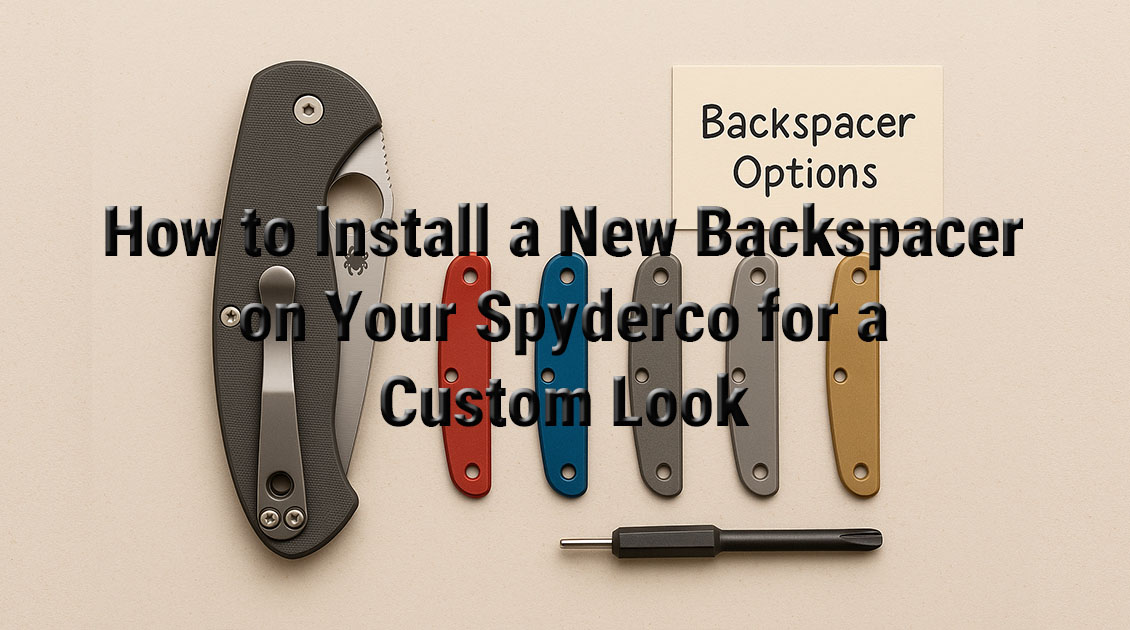
How to Install a New Backspacer on Your Spyderco for a Custom Look
Author: Logan M. Fraser
Occupation: Custom Knife Modder & Spyderco Parts Specialist
Location: Based in Calgary, Alberta, Canada
This is the 31st blog of the Spyderco blog series. You can check the other blogs I wrote from here – https://spymodz.com/blogs
If you’ve been thinking about giving your Spyderco knife a personalized touch, installing a custom backspacer is one of the most satisfying and visually impactful mods you can do. The Spyderco backspacer upgrade not only adds aesthetic appeal but can also improve the ergonomics and feel in hand. Whether you’re going for a pop of color, a different texture, or a full custom look, this guide will walk you through everything you need to know to install a backspacer with confidence.
Why Consider Replacing Your Spyderco’s Backspacer?
Backspacers are often overlooked, but they’re more than just decorative. Here’s why you might want to swap yours out:
-
 Customization: Easily add a personal touch to your EDC.
 -
 Durability: Materials like titanium or G10 can outlast factory plastic.
 -
 Improved Grip: Certain textures enhance control during use.
Adding a custom backspacer can elevate the overall vibe of your knife, especially when paired with matching scales, anodized hardware, or custom clips.
Tools and Supplies You’ll Need 
Before starting, gather these essentials:
-
Torx drivers (usually T6 and T8)
-
Non-marring surface (like a work mat)
-
Tweezers or small pliers
-
Loctite (blue threadlocker)
-
Microfiber cloth
-
The custom backspacer (shop high-quality options at https://spymodz.com)
Having the right tools makes the process smoother and minimizes risk to your blade or scales.
Step-by-Step: How to Install Your Spyderco Backspacer
Step 1: Prep Your Workspace
Make sure your surface is clean, well-lit, and secure. Disassembly requires small parts and screws that are easy to lose.
Step 2: Disassemble the Knife
Using your Torx driver, remove the pocket clip, pivot screw, body screws, and carefully separate the scales. Keep the blade centered while removing the pivot screw to avoid spring tension surprises.
Step 3: Remove the Factory Backspacer
Once the scales are off, the backspacer will either lift out or be lightly press-fit. Some models may require a bit of prying, so go slow and steady.
Step 4: Fit the New Backspacer
Dry fit the new backspacer to check for alignment and tolerances. Quality aftermarket parts (like those on https://spymodz.com) are precision-machined to fit, but you want to verify alignment before reassembly.
Step 5: Reassemble the Knife
Place the new backspacer in position, align the scales, and slowly begin re-tightening the screws in an even pattern. Add a drop of Loctite on the pivot screw to lock it in place without seizing it permanently.
Step 6: Function Test
Open and close the blade several times. Check blade centering, tension, and ensure the action is smooth.
What Models Are Backspacer-Friendly?
Some Spyderco models are more mod-friendly than others. Here are a few popular ones that accept backspacers with ease:
-
Para Military 2
-
Para 3
-
Manix 2
-
Tenacious (some variants)
If you’re unsure about compatibility, reach out to the maker or consult your model’s exploded view diagram.
Materials: What to Choose and Why 
-
G10: Lightweight, grippy, and available in a rainbow of colors.
-
Titanium: Sleek, durable, and anodizable for a premium feel.
-
Aluminum: Lightweight and available in cool finishes.
-
Carbon Fiber: For those going for that modern, minimal look.
Each material has pros and cons—think about what matters most to you: aesthetics, weight, durability, or all three?
Where to Find Quality Backspacers 
If you want backspacers made specifically for your Spyderco model, I recommend checking out https://spymodz.com. We focus on precision-fit accessories made by and for real knife modders. It’s not just a parts site—it’s a resource hub with a growing library of tutorials and customer support.
Common Mistakes to Avoid 
-
Over-tightening screws (risk stripping or warping the scales)
-
Using the wrong Loctite (red is too permanent)
-
Misaligning the blade upon reassembly
-
Not testing action before daily carry
Take your time. A rushed install can lead to frustrating lockups or poorly centered blades.
Final Thoughts from the Bench
I’ve modded dozens of Spyderco knives and installing a custom backspacer is still one of my favorite entry-level upgrades. It’s straightforward, satisfying, and instantly transforms the look of your knife. Plus, it’s a great gateway into more involved mods down the line.
Helpful Resources & Sources
-
Spyderco Disassembly Tips – https://www.spyderco.com
-
Knife Pivot Lube (for smooth reassembly) – https://knifepivotlube.com
-
Backspacers & Mods – https://spymodz.com
Each of these resources adds value whether you’re a beginner or modding veteran.
Have a Question or Suggestion? 
Drop a question in the comments if anything was unclear or if you ran into an issue during your install—I read every one. Also, let me know what you’d like to learn about in next week’s knife blog!